



Record life Signals. Find a rhythm that fits.

Not to do more.To understand yourself better.

Signal Path keeps the words, voice notes, states, and plans that make up a day, then connects them into a life trajectory you can revisit, test, and gradually understand.

  • You confirm the facts
  • You choose what to try
  • Important interpretations retain source Signals
Signal Path app icon
Start with one SignalRecord → Notice → Try → Review → Understand

The goal

Turn “something feels off lately” into visible clues from real life

Many feelings are simply scattered across different days and have not yet been viewed together. Signal Path does not plan your life or rush to a conclusion. It helps you keep the facts, notice relationships, and test what fits you better.

The goal is not a standard answer. It is clearer awareness of what drains you, what restores you, and what is worth continuing.

How each feature supports the goal

Five layers, one path toward understanding

Each layer has a focused job, and important later interpretations retain a support relationship with the real Signals underneath them.

  1. 01

    Today

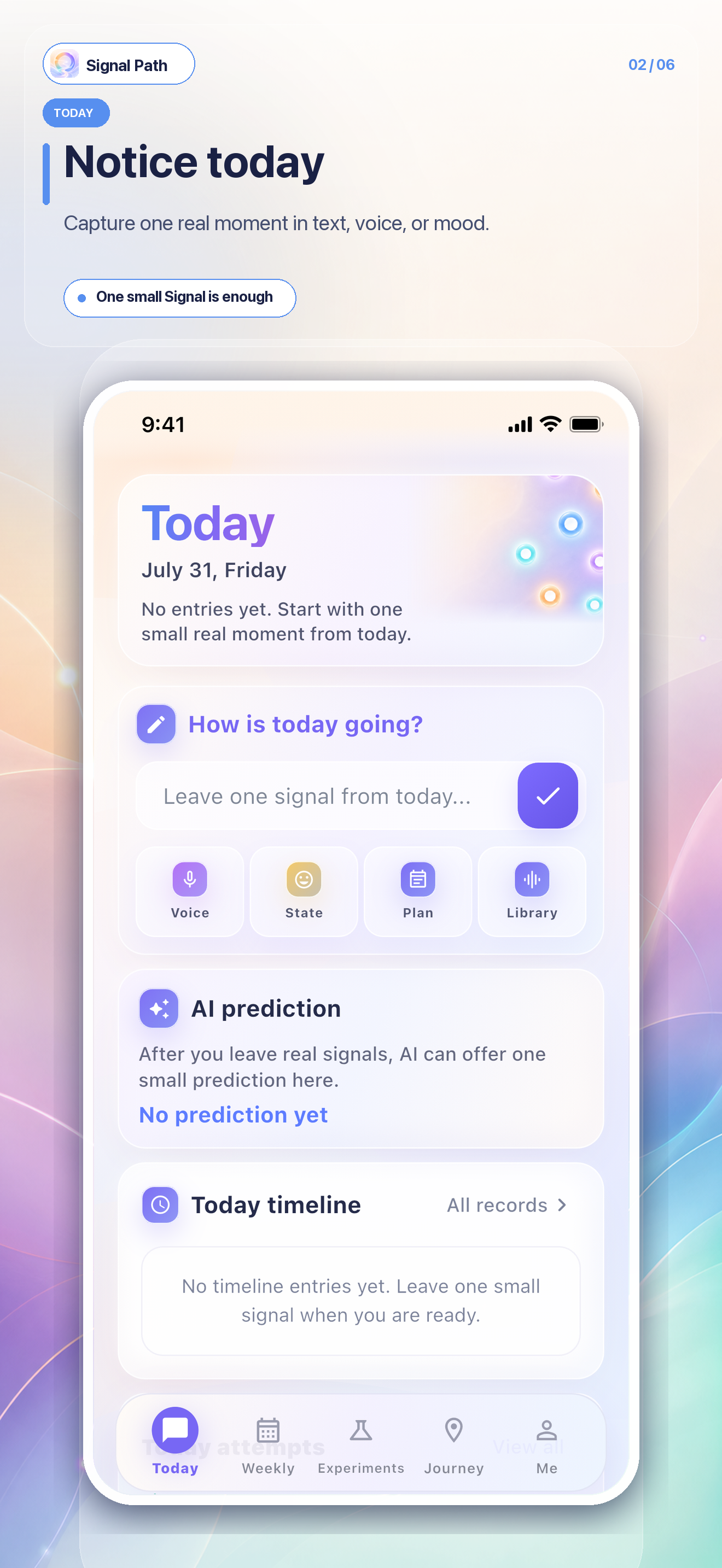
    Capture what is actually happening now

    Record text, voice, state, schedule, or a library reference. AI predictions appear only after a real Signal is saved and enter the timeline only after confirmation. Spot Try candidates begin after 3 eligible Signals that day.

  2. 02

    Weekly Review

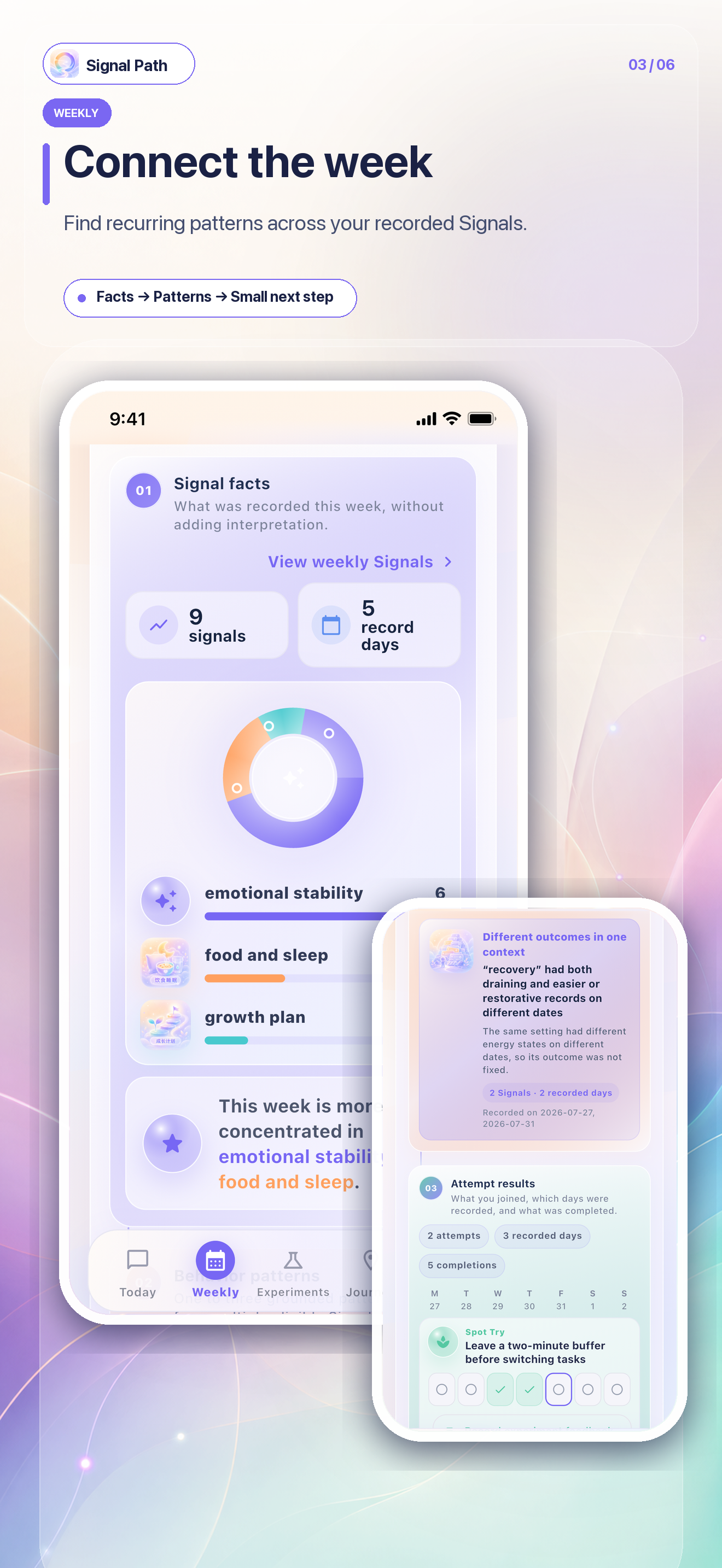
    Connect the dots across one week

    Bring together Signals, behavior patterns, and trial feedback to notice conditional responses, behavior sequences, trade-offs, and differences between contexts.

  3. 03

    Life Experiments

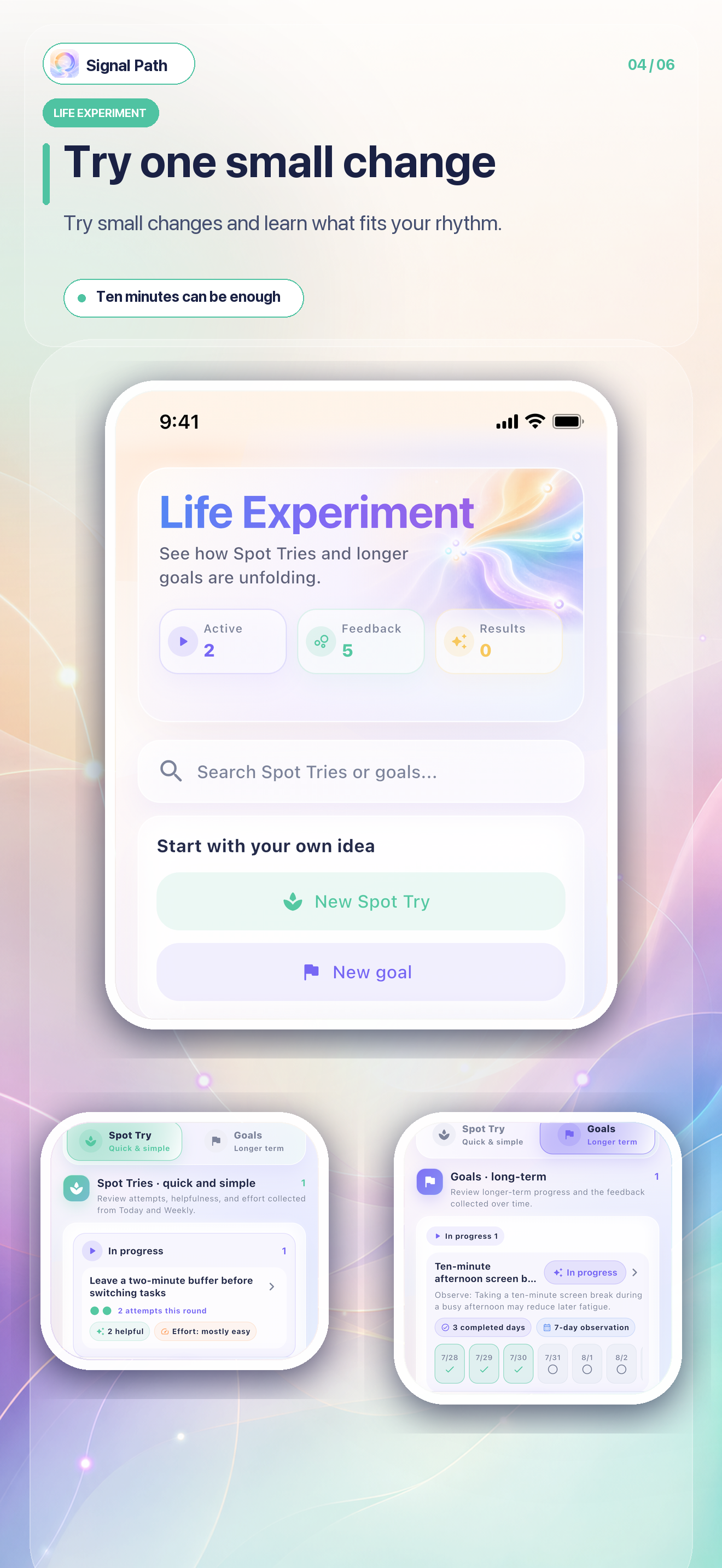
    Test what fits through Spot Tries and goals

    A Spot Try is a small, low-pressure experiment that captures immediate effect and effort. Goals are observed over medium to longer periods. The focus is real feedback, not a completion score.

  4. 04

    Journey

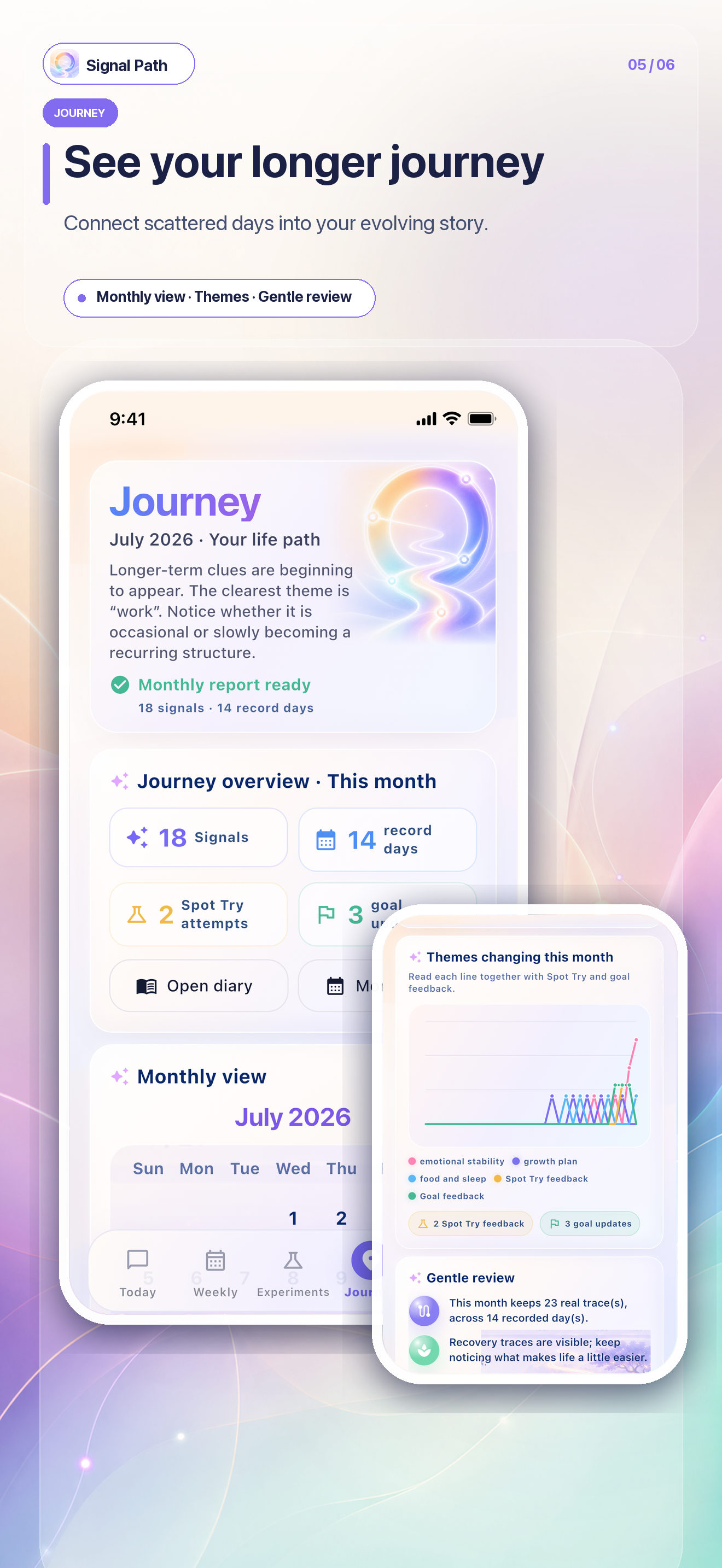
    Place change back into a longer timeline

    Review Signals, five energy states, experiments, and goal trajectories by calendar month. When data is thin, the app shows facts without inventing a synthesis.

  5. 05

    Pro

    Give complex relationships a deeper structure

    Deep Analysis connects behavior patterns, energy states, and trial feedback, then shows long-term change from first use through the latest completed month.

A look inside the app

From today to a journey that is truly yours

These are current app screen designs—not device photos and not imagined product outcomes.

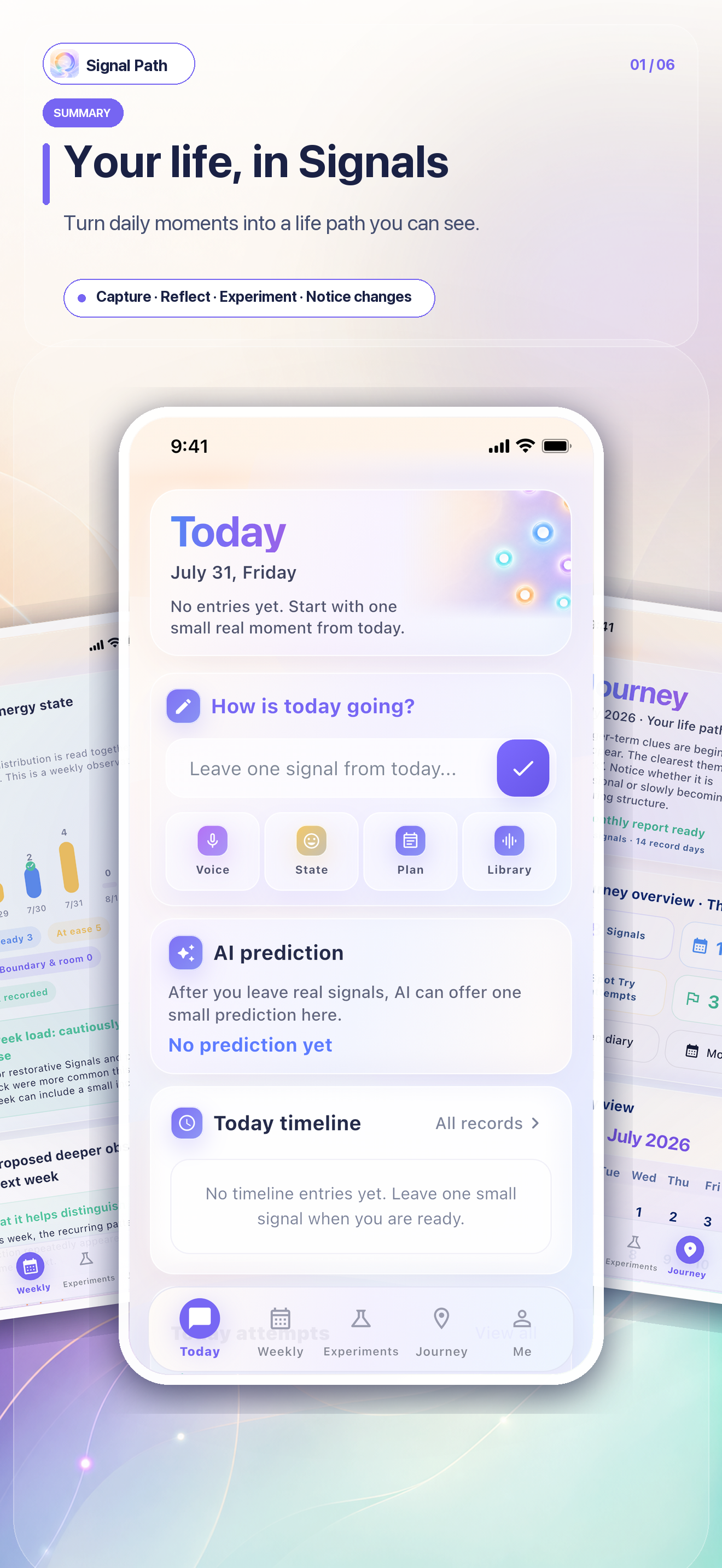
01 · Today

Input and same-day feedback

See the current state at the top, record real Signals in the middle, receive one light AI response per entry, and find adopted Spot Tries and goals at the bottom.

  • Text / voice / state / schedule
  • AI prediction confirmation
  • Candidates after 3 Signals that day
  • One unified journal timeline
Signal Path Today screen design

02 · Weekly Review

Facts, patterns, and feedback together

Last-week reflection, Signal facts, one to three behavior patterns, trial results, and next-week choices follow the actual data flow.

  • Report begins after 3 eligible Signals in the week
  • Behavior patterns
  • Next-week Spot Tries and goals
Signal Path Weekly Review screen design

03 · Life Experiments

Separate short trials from longer goals

Spot Tries use real attempt counts to assess immediate effect. Goals use a longer time track. Each item retains source Signals, plan versions, and summaries.

  • Spot Try for a simple experiment
  • Goals use medium- to long-term observation
  • Record effect and effort
Signal Path Life Experiments screen design

04 · Journey

Keep long-term change traceable

Switch calendar months to review facts, Spot Try and goal trajectories, energy states, and rhythm. Themes and monthly reflection appear after 7 eligible Signals across 3 recording days.

  • Historical month switching
  • Real trajectories
  • Date drill-down to the journal
Signal Path Journey screen design

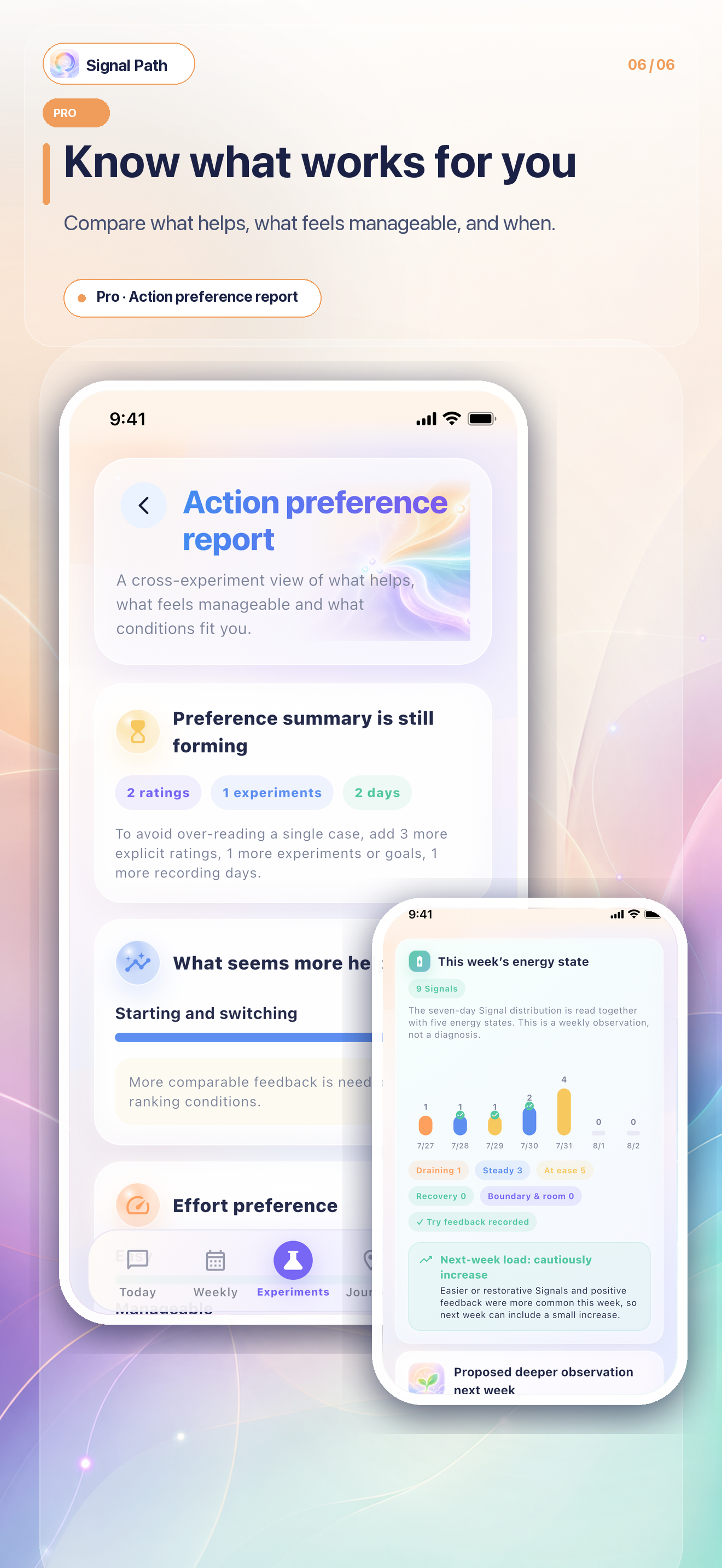
Pro Deep Analysis

Not more conclusions—clearer relationships

Pro turns weekly Signals, behavior patterns, energy states, and trial feedback into a relationship map, then places every completed month of factual change in one view.

Weekly Deep Analysis

Context—behavior—energy—feedback

After 3 eligible Signals in the week, a relationship map and seven-day distribution show which phenomena appeared within the same dates or attempt ranges, followed by a suggestion to reduce, maintain, or gently increase load.

Journey Deep Analysis

Long-term change across completed months

From first use through the latest completed month, compare real focus areas, themes, Signal density, and energy rhythm. One eligible month receives a factual structure summary; two or more can show a cautious direction of change.

AI conversation

Continue from a real entry

AI first receives the record. It gives a light suggestion only when the user explicitly asks what to do.

How it enters daily life

One real moment is enough

You do not need to document every day completely. A moment you genuinely want to keep is already a valuable Signal.

01

Too much switching

The day was full, but where did the energy go?

After recording schedule and state, Weekly Review can reveal behavior sequences and differences between contexts. Pro then places those facts beside energy state.

02

An emotion needs somewhere to land

One conversation keeps replaying

Timeline AI reflects the concrete situation and receives the feeling without rushing into advice or judging a person or relationship.

03

Change without more tasks

Start with one Spot Try

After trying it, record effect and effort. The app then makes a cautious assessment of whether the approach may fit you better.

04

What has really been happening lately?

Place one month beside another

Journey preserves facts and sources; Pro compares long-term change across completed months without trying to explain your whole self at once.

AI and privacy boundaries

AI can organize. The decision remains yours.

Signal Path is a tool for understanding daily life—not a diagnostic tool, task manager, or life coach that decides for you.

  • 01

    Only a Signal Card the user explicitly saves enters the timeline or counts toward report thresholds.

  • 02

    Choosing “not accurate” or leaving confirmation creates no Signal Card and keeps no minimal feedback.

  • 03

    When data is insufficient, the app shows facts without generating behavior patterns or monthly conclusions.

  • 04

    A one-line AI response receives the current entry; it does not diagnose illness, personality, root cause, or permanent patterns.

  • 05

    Spot Try and goal suggestions consider current energy, but never auto-adopt or alter a plan.

  • 06

    Source Signals, trial feedback, and summaries remain traceable; historical facts cannot be edited.

Message board

What kind of life moment should Signal Path be able to receive?

Share a scenario, an expectation, or a thought about the current design. New messages notify the site owner.

Messages are public. Please do not include email, phone, health data, or other private information.

Loading messages…

Signal Path

A little less pressure. A little more being seen.

Signal Path is available on the App Store. Start with one real Signal and move at your own pace through recording, review, Spot Tries, goals, and long-term reflection.

App Store versionView now